
Why Is My Phone Not Detecting the SIM Card? Causes & How to Fix SIM Not Working Issues
Boston
November 30, 2025
Google Technology,iPad,iPhone,Repair,Samsung
Why Is My Phone Not Detecting the SIM Card? Causes & How to Fix SIM Not Working Issues
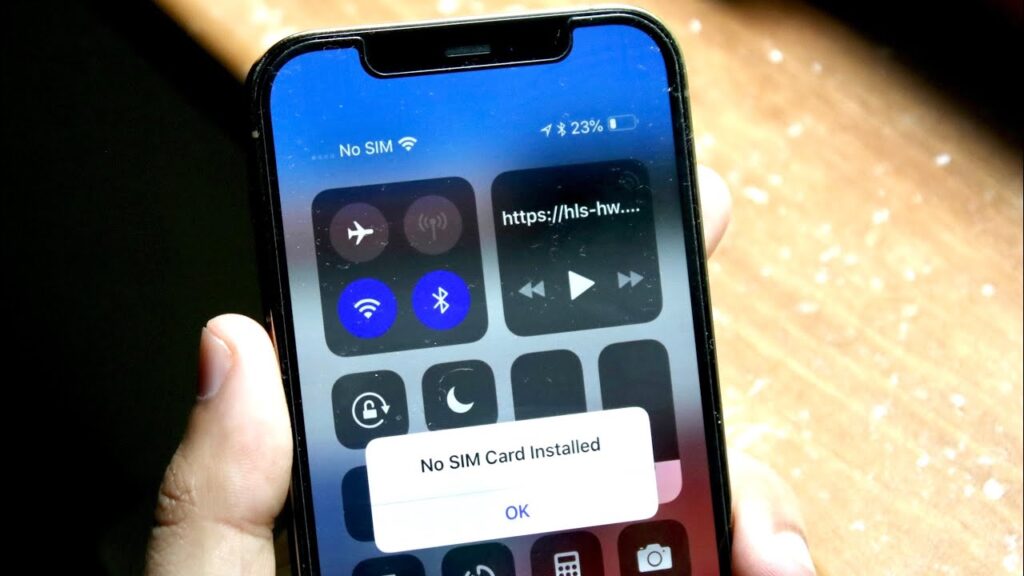
Seeing “No SIM,” “SIM Not Installed,” or “Invalid SIM” can be alarming — especially if you rely on your phone all day. Fortunately, SIM issues are usually fixable. Whether it’s a physical problem with the SIM card or a software glitch, there are clear steps to get your device connected again.Let’s explore the most common reasons your phone isn’t detecting the SIM card — and how to fix it.

🪪 1. Misaligned or Loose SIM Card
If the SIM isn’t sitting properly inside the tray, your phone may fail to recognize it.
How to Fix
Remove the SIM tray
Re-insert the SIM carefully
Ensure the cut corner matches the tray
Push tray fully back into the phone
If your SIM tray is bent or cracked, it may need replacement.
🧼 2. Dust, Dirt, or Oxidation on SIM Contacts
Even a thin layer of dirt or moisture can block the connection between the SIM and the phone’s reader.
Try This
Gently wipe the gold contacts with a soft cloth
Avoid using water or chemicals
Clean the SIM tray as well
🔁 3. Software or Network Settings Glitch
Sometimes the SIM is fine — but the phone’s network system needs a refresh.
Solutions
Turn Airplane Mode ON → wait 10 seconds → turn OFF
Restart the phone
Reset network settings:
iPhone: Settings → General → Transfer or Reset iPhone → Reset Network Settings
Android: Settings → System → Reset Options → Reset Network Settings
🛜 4. Carrier or Activation Issues
Your SIM may not work if:
The line is not activated
Your carrier has a temporary outage
The SIM is damaged by cutting or trimming
The SIM was disabled due to non-payment
Fix
Test SIM on another phone
Contact your carrier for status or replacement
Try a new SIM card if needed
📱 5. Phone Locked to Another Network
If the phone is carrier-locked, it won’t accept SIM cards from other networks.
Solution
Check if the device is unlocked
Contact your carrier or visit a repair shop for unlock options
🧩 6. Damaged SIM Reader / Hardware Problem
If your phone was dropped, exposed to water, or has internal wear, the SIM reader might be damaged.
Signs of Hardware Issue
“No SIM” even with multiple SIM cards
SIM tray doesn’t sit flush
Phone reads SIM only sometimes
SIM disconnects randomly
This requires professional repair.
🛠️ When to Visit a Repair Shop
Come to Boston Mobile Phone Repairs if you experience:
✔ SIM not detected after multiple tries
✔ Phone only works with pressure on tray
✔ SIM reader pins bent or damaged
✔ Water damage
✔ SIM tray broken or stuck
We can repair SIM readers, replace trays, diagnose hardware problems, and restore your network connection quickly.
⭐ Final Thoughts
SIM card problems are common, but most are easy to fix. Start with simple steps like reinserting the SIM, cleaning the contacts, or resetting network settings. If nothing works, it may be a hardware issue — and our professional technicians can get you reconnected fast.
Have Any Question?
CALL 858-848-9004! OR BOOK YOUR REPAIR ONLINE TODAY!
- (+1) 858-848-9004
- info@bostonmobilephonerepairs.com